NHS Login: Your Digital Key to UK Healthcare in 2025
Discover how NHS Login is transforming access to health services in 2025. From GP appointments to prescriptions, learn the benefits and how to set up your account securely.
What Is NHS Login?
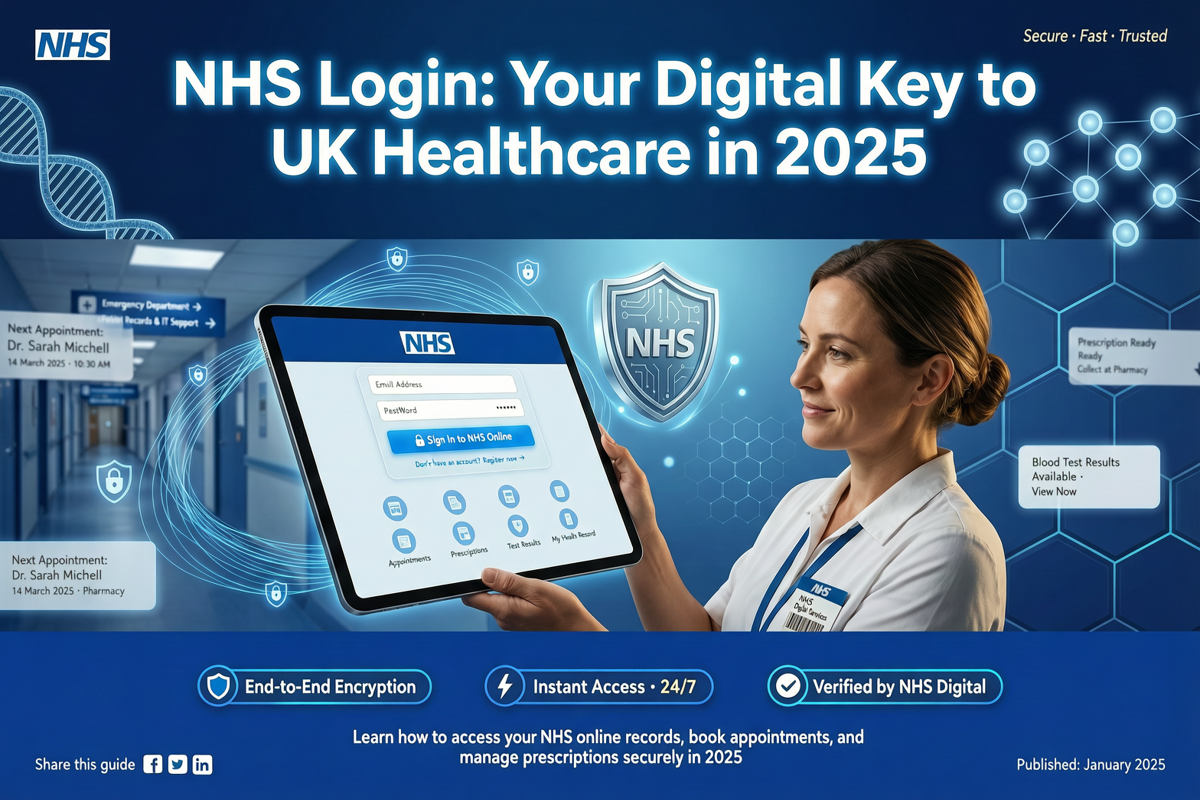
NHS Login is a secure, single sign-on service that allows you to access a wide range of digital health and care services in England. Launched as part of the NHS Digital transformation, it provides a unified way to prove your identity online, eliminating the need for multiple usernames and passwords across different healthcare apps and websites.
In 2025, NHS Login has become an essential tool for patients, enabling them to book GP appointments, order repeat prescriptions, view their medical records, and communicate with healthcare professionals—all from a single account. It is designed to be simple, secure, and inclusive, ensuring that everyone can benefit from digital healthcare.
Why NHS Login Matters in 2025
The healthcare landscape has evolved rapidly. With the NHS under constant pressure to deliver efficient services, digital solutions like NHS Login help reduce administrative burdens and improve patient experience. By 2025, over 30 million people have registered for NHS Login, making it one of the most widely used digital identity systems in the UK.
Key benefits include:
- Convenience: Access multiple services with one set of credentials.
- Security: Your identity is verified to a high standard, reducing fraud.
- Time-saving: No more waiting on hold to book appointments or request prescriptions.
- Empowerment: View your health records and take control of your care.
How to Set Up Your NHS Login
Creating an NHS Login account is straightforward. Follow these steps:
Step 1: Visit the NHS Login Website
Go to the official NHS Login page. You can access it from any NHS app or website that uses NHS Login, such as the NHS App or your GP surgery's online services.
Step 2: Provide Your Email and Create a Password
Enter a valid email address and create a strong password. You'll receive a verification email—click the link to confirm.
Step 3: Verify Your Identity
To access full services, you need to prove who you are. You can do this online using photo ID (like a passport or driving licence) and a short video selfie. Alternatively, you can visit a GP surgery to verify your identity in person.
Step 4: Link Your GP Surgery
Once verified, you can link your NHS Login to your GP surgery. You'll need your NHS number (found on any NHS letter or prescription). After linking, you can start using services immediately.
What Can You Do with NHS Login?
NHS Login opens the door to a growing ecosystem of digital health services. Here are the most popular uses:
- Book and manage GP appointments: Choose a time that suits you, view upcoming appointments, and cancel if needed.
- Order repeat prescriptions: Request your regular medications without phoning the surgery. Choose a pharmacy for collection or delivery.
- View your health records: Access your medical history, test results, vaccination records, and more.
- Communicate with your care team: Send secure messages to your GP or nurse, and receive replies.
- Access specialist services: Some hospitals and mental health services now use NHS Login for patient portals.
Security and Privacy: What You Need to Know
NHS Login uses robust security measures to protect your data. Your identity is verified to a level that meets NHS standards, and all information is encrypted. The system is designed to comply with UK data protection laws, including GDPR.
You control what information is shared. When you use NHS Login to access a service, you consent to share only the necessary data. You can also view a log of who has accessed your information.
If you lose your phone or suspect someone else has accessed your account, you can revoke access immediately via the NHS Login website. Two-factor authentication is available for extra security.
Who Can Use NHS Login?
NHS Login is available to anyone aged 13 and over who is registered with a GP surgery in England. For children under 13, parents or guardians can use their own NHS Login to manage their child's healthcare, with appropriate permissions.
If you don't have a smartphone or computer, you can still benefit from NHS Login by asking a family member or friend to help, or by using computers at your local library. The NHS also offers support for people with disabilities or those who need help with digital skills.
Common Issues and Troubleshooting
While NHS Login is designed to be user-friendly, you might encounter some common issues:
- Forgotten password: Use the 'Forgot password' link on the login page. You'll receive a reset link via email.
- Identity verification fails: Ensure your photo ID is valid and that you follow the instructions carefully. If it still fails, you can visit your GP in person.
- Account locked: After multiple incorrect attempts, your account may be temporarily locked. Wait 15 minutes before trying again, or contact NHS Login support.
- Cannot link to GP surgery: Make sure your GP surgery offers online services. Some smaller practices may not yet be fully integrated.
The Future of NHS Login
By 2025, NHS Login is already a cornerstone of the NHS digital strategy. Future developments include integration with more hospital services, social care, and even wearable health devices. The goal is to create a seamless experience where your health data follows you across the system, securely and with your consent.
As technology evolves, NHS Login will continue to adapt, offering new features like biometric authentication and AI-powered health advice. The NHS is committed to ensuring that digital healthcare is accessible to all, reducing health inequalities and improving outcomes.
Conclusion
NHS Login is more than just a password manager—it's your digital key to the NHS. In 2025, it simplifies how you interact with healthcare, saving time and putting you in control. If you haven't set up your account yet, now is the perfect time to join millions of others who are already benefiting from this secure, convenient service.
Take the first step today: visit the NHS Login website and create your account. Your health, your data, your way.